
A Rust and Slint component library for visual graph editors, such as data flow diagrams, state machines, and shader graphs. Build nodes from Slint components and connect them with interactive links.
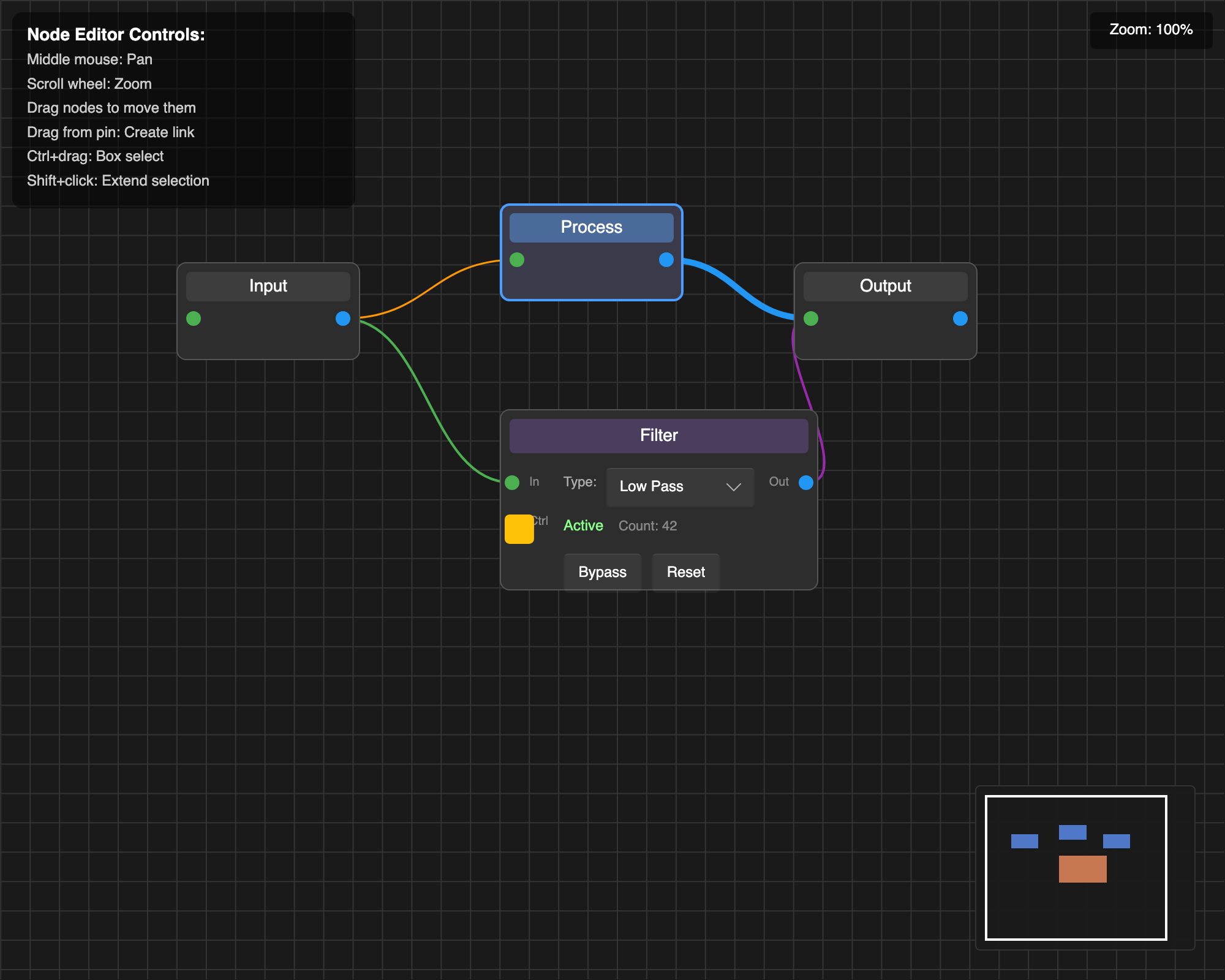
Watch or download the demo (MP4, 33 seconds, 30 fps): dragging, connections, embedded controls, animated links, and automatic layout.
- Node dragging, multi-selection, and box selection.
- Node groups with movable, collapsible backing sheets (unreleased).
- Interactive connections with application-defined pin compatibility.
- Pan, zoom, grid, and minimap.
- Custom node shapes, embedded Slint controls, and link styling and routing.
- Examples of animated links and zoom-dependent node detail.
- Optional automatic graph layout through the
layoutfeature.
Your application owns the node and link models, selection, and editing policies. The library provides the components, geometry tracking, hit testing, and Rust helpers to connect them. You choose node data structures and pin IDs; helpers handle common selection and drag behavior.
Requires Slint 1.18 or newer and Rust 1.92 or newer. From a checkout of this repository, run:
cargo run -p advancedThe advanced example includes custom nodes, embedded controls, link validation,
and a minimap. For a smaller starting point, run cargo run -p minimal.
| Action | Gesture |
|---|---|
| Select a node or link | Click |
| Toggle selection | Shift+click |
| Move selected nodes | Drag a node |
| Connect pins | Drag from one pin to another |
| Pan | Scroll or middle-button drag |
| Zoom around the pointer | Ctrl+scroll (also Command+scroll on macOS) |
| Box select | Drag on empty space, or Ctrl+drag over any surface |
Selection behavior uses the standard Rust helpers. Applications can customize
these policies; deletion and keyboard shortcuts are application-owned. Zoom
controls clamp to min-zoom and max-zoom (defaults: 0.1 and 3.0).
The integration guide walks through a complete, tested application that supports adding, moving, connecting, and deleting nodes. Start with its four files:
The published 1.0.1 release uses the registry dependency:
slint-node-editor = "1.0.1"The documentation on main also covers unreleased groups, viewport resize
notifications, link palettes/dimming, corrected layout coordinates, and rank
alignment. Published 1.0.1 returns node centres despite documenting corners. Those features
require a checkout until the next release; the guides mark them accordingly.
The integration has three parts:
- Import components from
@nodeeditorand build your nodes withBaseNodeandPin. - Use
NodeEditorSetup,wire_node_editor!, andwire_selection!to wire geometry, dragging, and selection. - Handle connection validation, link picking, and graph edits in your application.
See the component reference for properties,
callbacks, geometry lifecycle, and layout helpers. Generate the Rust API docs
locally with cargo doc --open --no-deps --all-features -p slint-node-editor.
Run any example with cargo run -p <name> from the repository root.
| Example | Demonstrates |
|---|---|
| minimal | Basic nodes, links, and standard setup helpers |
| configuration | Geometry reporting, grid/curve settings, and host-side LOD configuration |
| advanced | Custom nodes, embedded controls, minimap, and application policies |
| animated-links | Growing links and glow effects |
| custom-shapes | Custom routing, theme palettes, and focus dimming |
| pin-compatibility | Compatibility checks and connection feedback |
| zoom-stress-test | Zoom-dependent node detail and widget scaling |
| edge-fade | Viewport edge styling |
| groups | Node groups: backing sheets that move, collapse and refit around their members |
| sugiyama | Automatic layout with unequal node sizes and configurable rank alignment |
| sugiyama-stress-test | Layout with larger graphs |
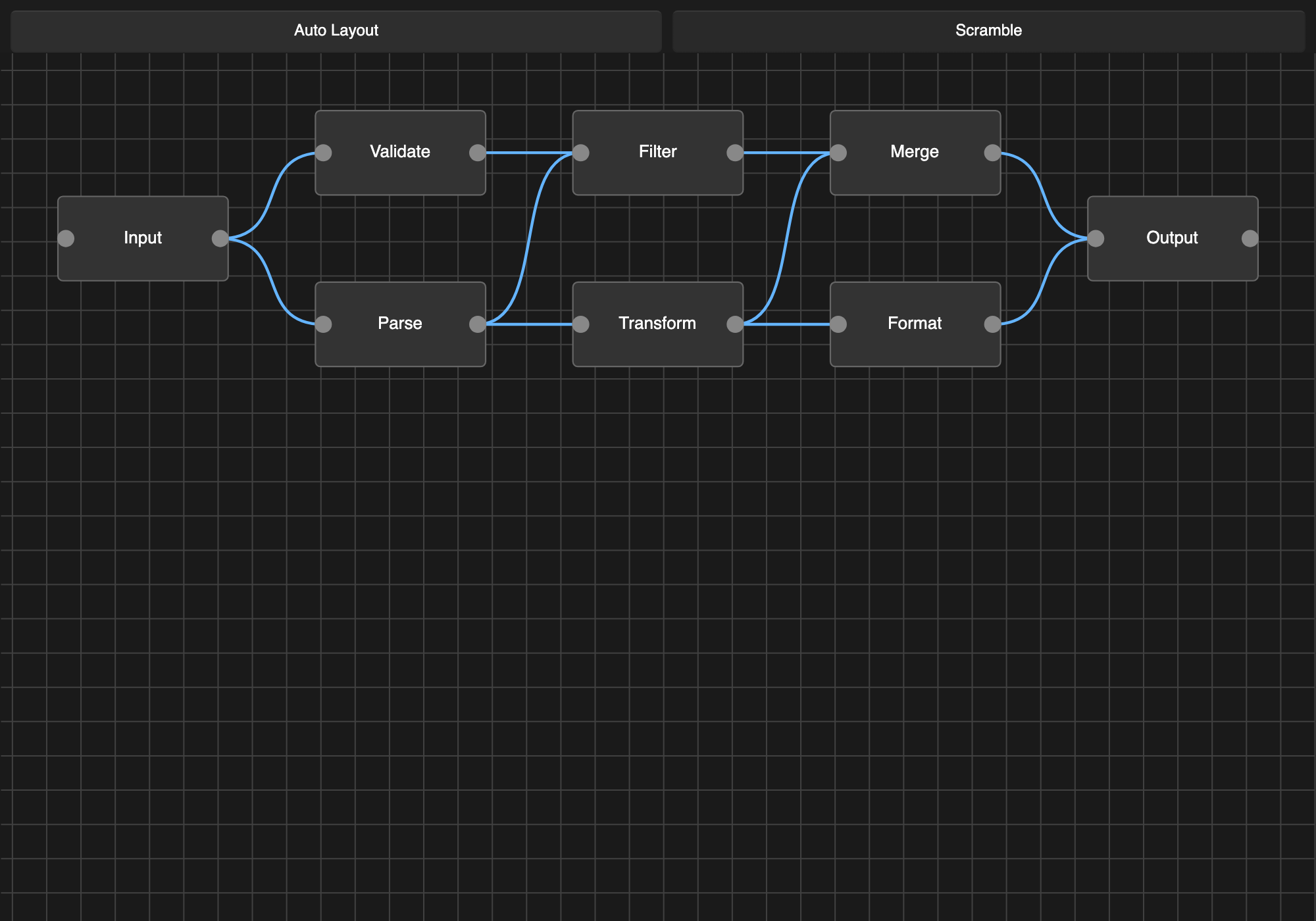
In sugiyama, use Scramble to rearrange the nodes and Auto Layout to
restore a layered graph. Choose Centre or Start alignment to compare
how differently sized nodes line up within a rank; changing the choice applies
the layout immediately.
- One editor per window is supported; separate windows can each have an editor.
- Keyboard-only graph editing and structural accessibility are incomplete.
- Zoom-dependent detail is implemented by application nodes. The library does not automatically virtualize the graph or guarantee large-graph frame rates.
See CONTRIBUTING.md for supported configurations and checks, and CHANGELOG.md for API changes and migration notes.
MIT or Apache-2.0, at your option: MIT, Apache-2.0.
This covers the library's code. Slint has separate licensing terms; see Slint's license for the terms that apply to your application.