


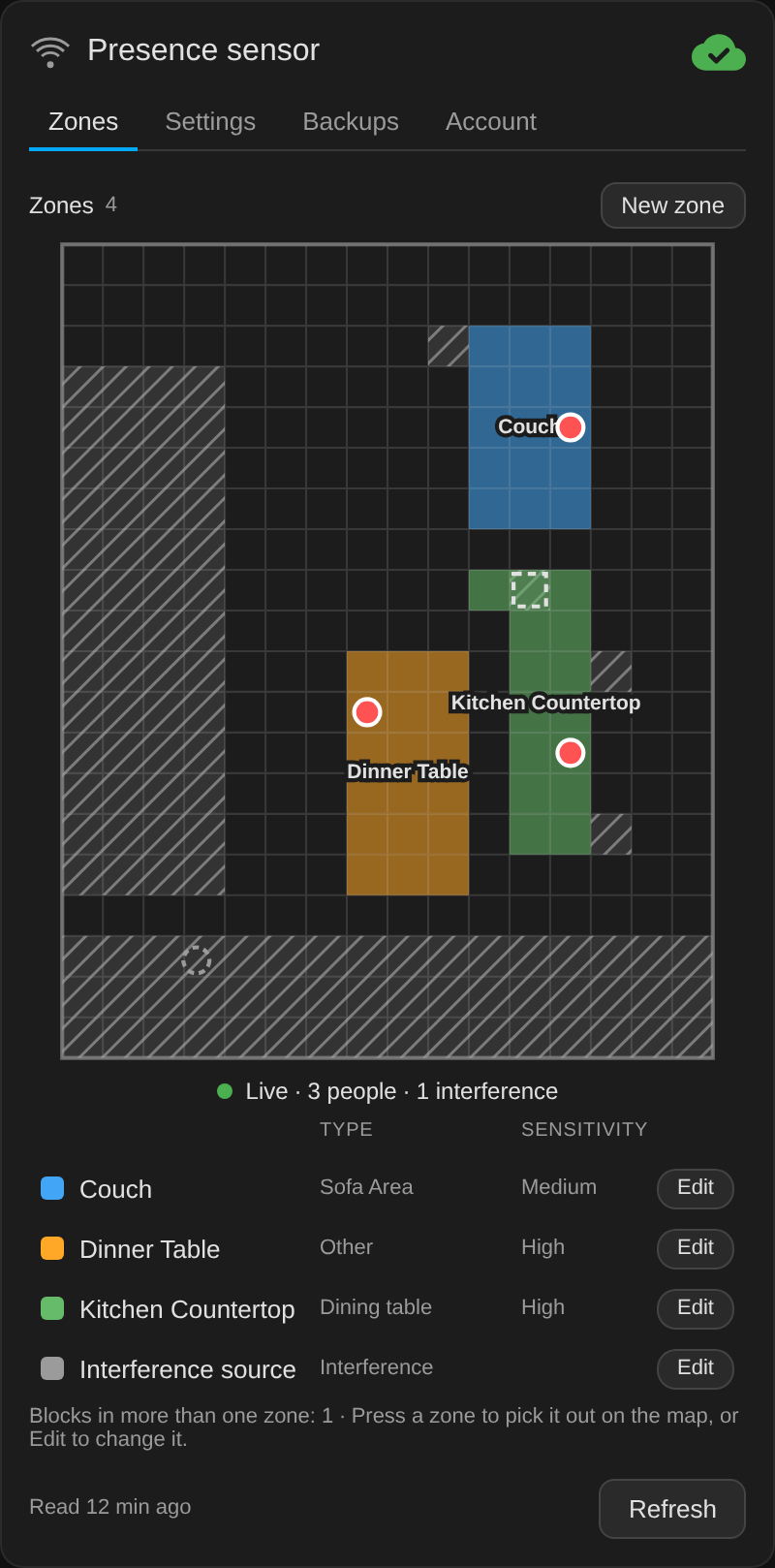
A Lovelace card for the Aqara FP2 presence sensor: its settings, a zone editor with backups, and the live targets on the zone map, the way the Aqara app shows them.
The card is the front end of the Aqara FP2 Companion integration, which does the work. The integration talks to the Aqara cloud, creates the entities and keeps the backups, and the card shows them and sends its commands to the integration through Home Assistant's websocket.
- The Aqara FP2 Companion integration, version 2.0.0 or later, installed and signed in to Aqara. The card does nothing without it. Its own requirements are listed in its README. Card 1.20.x is the last version for the old AppDaemon app. Without the integration, the card shows only a message that links to the guide for the move.
- HACS, which installs the card and adds its dashboard resource.
- An admin Home Assistant user to edit zones, restore backups and see the live view. Any user can read the card and change the settings that are entities.
Unofficial. This project is not affiliated with Aqara or Lumi.
- Install and set up the Aqara FP2 Companion integration.
- In HACS, search for FP2 Companion Card and download it. If the
search does not find it yet, add
https://github.com/sfortis/fp2-companion-cardas a custom repository of type Dashboard instead. HACS adds the dashboard resource for the card and updates it on every release. - Add the card to a dashboard:
type: custom:fp2-companion-cardUp to version 1.3.1, the FP2 Companion app copied this card into Home
Assistant's www/fp2-companion/ folder and added a dashboard resource for
it. Newer versions of the app no longer do that, so the copy stops receiving
updates. After installing the card from HACS:
- In Settings > Dashboards, open Resources from the menu at the
top right, and delete the resource whose URL starts with
/local/fp2-companion/. - Delete the folder
www/fp2-companion/from your Home Assistant configuration folder. - Reload the browser.
If you had added a resource for the card by hand, for example with
card_install: false, delete that one too, so that only the HACS resource
loads the card.
Until the old resource is gone, both copies load and the one that loads first is used, which may be the old version. The browser console then shows a warning, or an error from a copy older than 1.19.0, but the card keeps working.
| Option | Default | Meaning |
|---|---|---|
title |
Presence sensor |
The card's title |
device |
none | Pins the card to one FP2, by its serial, entity prefix, device id or name, and hides the device picker |
devices_entity |
sensor.fp2_companion_devices |
The integration's own sensor |
entities |
{} |
Overrides for entity ids renamed in the registry, on a pinned card |
language |
the user's | The card's language, like it. Empty follows the Home Assistant user's language; English and Italian ship with the card |
text |
per language | Any word on the card, over the language's own |
The card has four tabs.
- Zones shows the map, the live dots and the legend. Press a zone to pick it out on the map, or Edit to change it. Editing paints blocks by tapping or dragging. Delete needs a second press. The FP2 looks at every block outside the room's edge, so an edge drawn as a frame around the room leaves everything beyond the frame in the room. The card says so, and Fill outside in the edge's editor adds those blocks to the edge.
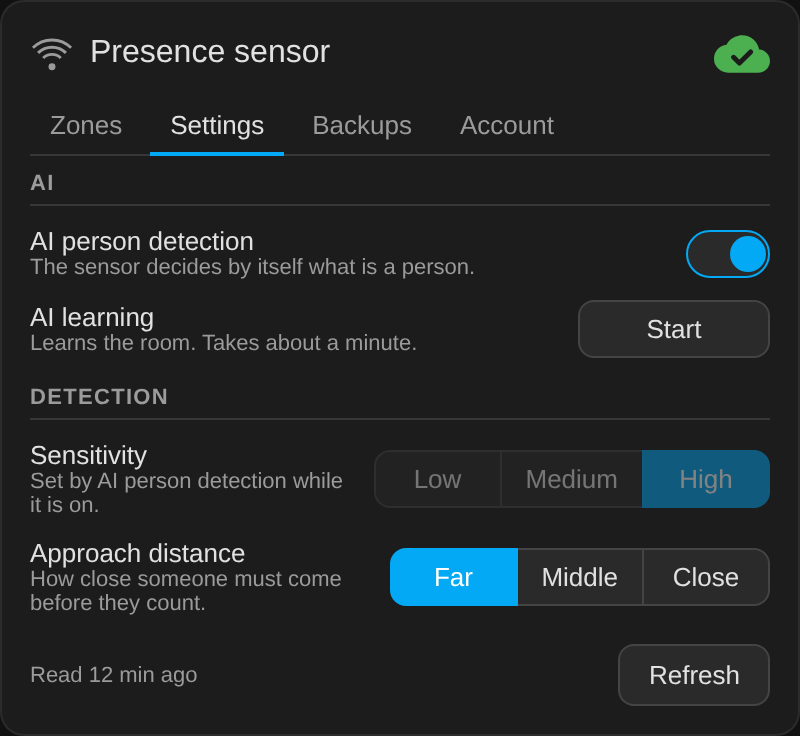
- Settings has AI person detection, sensitivity, approach distance and AI learning. While AI person detection is on, the sensor sets its own sensitivity and ignores changes to it, so the control is disabled.
- Backups lists the zone backups. Choosing one previews it on the map, and Restore needs a second press.
- Account shows the Aqara account, until when the session is valid, and where to change the account.
The cloud icon at the top shows the integration's status: green with a check when all is well, amber with an exclamation mark for a warning, and red with a cross when there is no session. The line under it explains anything that is not green.
The live view runs only while the card's map is on screen, and stops when the card is scrolled away or the screen goes off. The zone editor, the restore of a backup and the live view need an admin Home Assistant user, because the integration accepts those commands from admins only. The settings that are entities, such as sensitivity, work for any user.
The card does not sign in. The integration asks for the Aqara account when it is added, and Home Assistant asks again when Aqara ends the session. The Account tab shows the account and where to change it.
The card follows the Home Assistant user's language. A language lives in
TRANSLATIONS in fp2-companion-card.js, under the first part of its
language code. A word a language does not have shows in English.
NODE_PATH="$(npm root -g)" node tests/fp2-companion-smoke.js
The test needs jsdom installed globally, and Python's cryptography for
its RSA check. tests/fp2-companion-render.js renders the card from a live
Home Assistant to an HTML file for a headless browser screenshot.
MIT