
Airlines employ complex, secretly-kept algorithms to vary flight ticket prices over time based on several factors,including seat availability,airline capacity, the price of oil, seasonality, etc. At any point in time, a customer looking to purchase a flight ticket has the option to buy or wait (in the hope of the flight price reducing in future).However, since they lack knowledge of these algorithms, customers often default to purchasing a ticket as early as possible rather than trying to optimize their time of purchase.However, vast quantities of data regarding flight ticket prices are available on the Internet. Through this project,we hoped to use this data to help customers make their decisions. We created an airline ticket-buying agent that tries to buy a customer’s flight ticket to optimize for price of purchase.We have selected website to scrap the Indian flights data.
You need to have installed following softwares and libraries in your machine before running this project.
Python 3 Anaconda: It will install ipython notebook and most of the libraries which are needed like sklearn, pandas, seaborn, matplotlib, numpy, scipy,streamlit.
For more details refer repo path : Web App Model/Flask/requirements.txt
Below is the small sample of our dataset:

Price - flight price
departure_time - flight schedule time
arrival_time - arrival time of flight
Airline Cabin - There are three type
E - Economy
PE - Premium Economy
B - Business
Dept_city - Departure city
Dept_date - Departure Date
arrival_city - Arrival city
stops - Number of stops
duration - Flight duration in minutes
weekday dept_hours
Dept_flights_time
optimal_hours
The blueprint file structure follows the following pattern:
Data --> Data Processing-->EDA-->Training Model-->Test Model & Evaluation-->Model Prediction-->Model Deployment







Assume a customer decides to purchase a ticket for a particular flight at time = X hours before departure. The optimal time to purchase the ticket t0pt is:
- in the range [X hours before dep., 4 hours before dep.]
- time at which we achieve minimum flight price until departure
We have used 'LightGBM' algorithm to predict first optimal time then to predict price for each of the cabin classes whose architecture is as below:
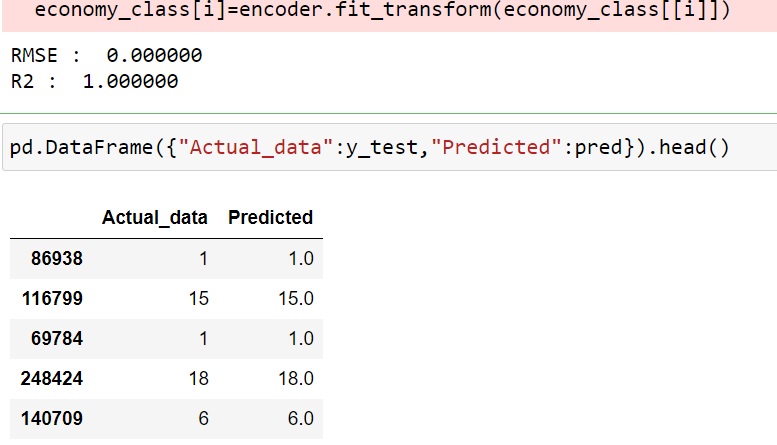
ec=LGBMRegressor(n_estimators=1200) #ec=RandomForestRegressor() ec.fit(x_train,y_train) #pred = rfg.predict(x_cv) pred = ec.predict(x_test) rmse = np.sqrt(mean_squared_error(y_test, pred)) r2= r2_score(y_test, pred) print("RMSE : % f" %(rmse)) print("R2 : % f" %(r2))
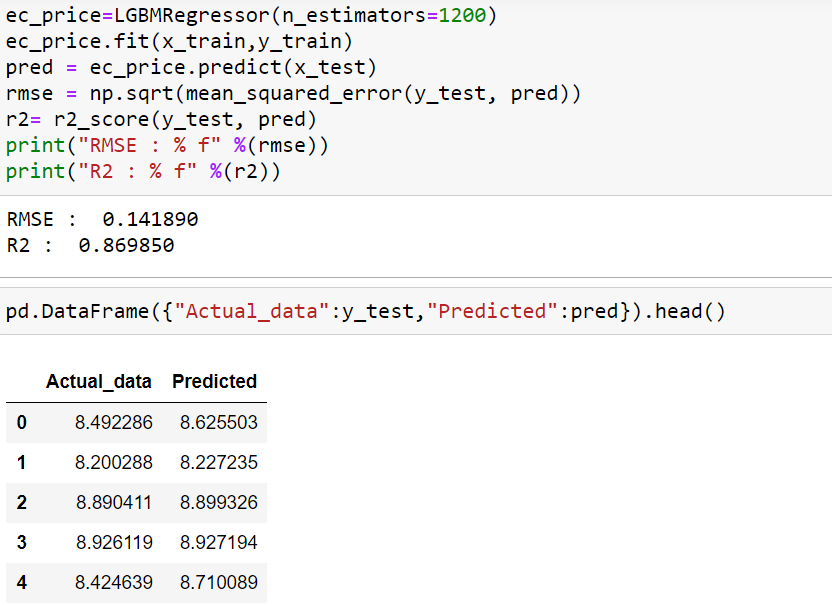
ec_price=LGBMRegressor(n_estimators=1200) ec_price.fit(x_train,y_train) pred = ec_price.predict(x_test) rmse = np.sqrt(mean_squared_error(y_test, pred)) r2= r2_score(y_test, pred) print("RMSE : % f" %(rmse)) print("R2 : % f" %(r2))
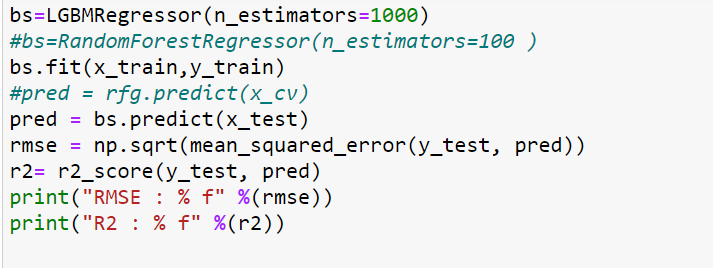
bs=LGBMRegressor(n_estimators=1000) #bs=RandomForestRegressor(n_estimators=100 ) bs.fit(x_train,y_train) #pred = rfg.predict(x_cv) pred = bs.predict(x_test) rmse = np.sqrt(mean_squared_error(y_test, pred)) r2= r2_score(y_test, pred) print("RMSE : % f" %(rmse)) print("R2 : % f" %(r2))
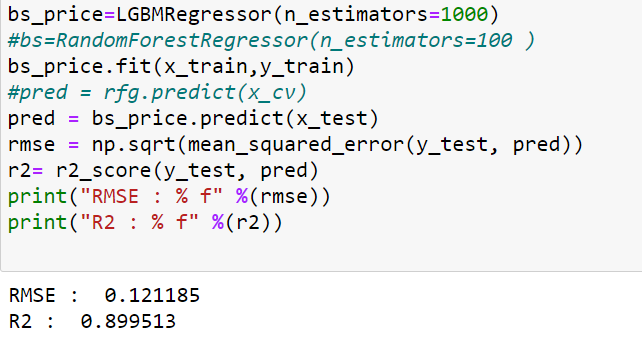
bs_price=LGBMRegressor(n_estimators=1000) #bs=RandomForestRegressor(n_estimators=100 ) bs_price.fit(x_train,y_train) #pred = rfg.predict(x_cv) pred = bs_price.predict(x_test) rmse = np.sqrt(mean_squared_error(y_test, pred)) r2= r2_score(y_test, pred) print("RMSE : % f" %(rmse)) print("R2 : % f" %(r2))
pe=LGBMRegressor(n_estimators=1500) #pe = CatBoostRegressor() #rfg=RandomForestRegressor(n_estimators=100 ) pe.fit(x_train,y_train) #pred = rfg.predict(x_cv) pred = pe.predict(x_test) rmse = np.sqrt(mean_squared_error(y_test, pred)) r2= r2_score(y_test, pred) print("RMSE : % f" %(rmse)) print("R2 : % f" %(r2))
pe=LGBMRegressor(n_estimators=1500) #pe = CatBoostRegressor() #rfg=RandomForestRegressor(n_estimators=100 ) pe.fit(x_train,y_train) #pred = rfg.predict(x_cv) pred = pe.predict(x_test) rmse = np.sqrt(mean_squared_error(y_test, pred)) r2= r2_score(y_test, pred) print("RMSE : % f" %(rmse)) print("R2 : % f" %(r2))
Team Members : !
To deploy model on Heroku we have 2 options, by Heroku CLI or by GitHub. We have selected deployment by GitHub
Step 1 : Create an account on heroku.com
Step 2 : Upload all files on GitHub
Step 3 : Deployment method --> GitHub
Step 4 : App connected to GitHub
Step 5 : Select Manual deploy Deploy--> the current state of a branch to this app should be Master.
Step 6 : Resolve package error if occurs and test your Pulic URL
Flask Code : Web App Model/Flask/
Public URL : https://prediction-price-for-flight.herokuapp.com/
https://docs.google.com/presentation/d/15HfriKFJ5acUQJ1qqCTX2-4JDUT5InTOfC6PH3KF9EE/e
Here the results template "https://docs.google.com/presentation/d/15HfriKFJ5acUQJ1qqCTX2-4JDUT5InTOfC6PH3KF9EE/edit#slide=id.gb69d85bd22_0_12"
WhatsApp.Video.2021-06-01.at.00.25.23.mp4
Team Members :
We have used RandomForestRegressor algorithm to predict first optimal time then to predict price whose architecture is as below:
Fitting 5 folds for each of 10 candidates, totalling 50 fits
[Parallel(n_jobs=-1)]: Using backend LokyBackend with 2 concurrent workers.
[Parallel(n_jobs=-1)]: Done  37 tasks      | elapsed: 15.4min
[Parallel(n_jobs=-1)]: Done  50 out of  50 | elapsed: 19.7min finished
RandomizedSearchCV(cv=5, error_score=nan,
                   estimator=RandomForestRegressor(bootstrap=True,
                                                   ccp_alpha=0.0,
                                                   criterion='mse',
                                                   max_depth=None,
                                                   max_features='auto',
                                                   max_leaf_nodes=None,
                                                   max_samples=None,
                                                   min_impurity_decrease=0.0,
                                                   min_impurity_split=None,
                                                   min_samples_leaf=1,
                                                   min_samples_split=2,
                                                   min_weight_fraction_leaf=0.0,
                                                   n_estimators=100,
                                                   n_jobs=None, oob_score=False,
                                                   random_state=None, verbose=0,
                                                   warm_start=False),
                   iid='deprecated', n_iter=10, n_jobs=-1,
                   param_distributions={'max_depth': [5, 10, 15, 20, 50],
                                        'min_samples_split': [2, 3, 5, 10]},
                   pre_dispatch='2*n_jobs', random_state=None, refit=True,
                   return_train_score=False, scoring=None, verbose=2)
Selected best_params_ after hyperparameter tunning : {'min_samples_split': 5, 'max_depth': 20}
Fitting 5 folds for each of 10 candidates, totalling 50 fits
[Parallel(n_jobs=-1)]: Using backend LokyBackend with 2 concurrent workers.
[Parallel(n_jobs=-1)]: Done  37 tasks      | elapsed: 14.5min
[Parallel(n_jobs=-1)]: Done  50 out of  50 | elapsed: 19.6min finished
RandomizedSearchCV(cv=5, error_score=nan,
                   estimator=RandomForestRegressor(bootstrap=True,
                                                   ccp_alpha=0.0,
                                                   criterion='mse',
                                                   max_depth=None,
                                                   max_features='auto',
                                                   max_leaf_nodes=None,
                                                   max_samples=None,
                                                   min_impurity_decrease=0.0,
                                                   min_impurity_split=None,
                                                   min_samples_leaf=1,
                                                   min_samples_split=2,
                                                   min_weight_fraction_leaf=0.0,
                                                   n_estimators=100,
                                                   n_jobs=None, oob_score=False,
                                                   random_state=None, verbose=0,
                                                   warm_start=False),
                   iid='deprecated', n_iter=10, n_jobs=-1,
                   param_distributions={'max_depth': [5, 10, 15, 20, 50],
                                        'min_samples_split': [2, 3, 5, 10]},
                   pre_dispatch='2*n_jobs', random_state=None, refit=True,
                   return_train_score=False, scoring=None, verbose=2)
Selected best_params_ after hyperparameter tunning : {'min_samples_split': 5, 'max_depth': 20}
To deploy model on Heroku we have 2 options, by Heroku CLI or by GitHub. We have selected deployment by GitHub
Step 1 : Create an account on heroku.com
Step 2 : Upload all files on GitHub
Step 3 : Deployment method --> GitHub
Step 4 : App connected to GitHub
Step 5 : Select Manual deploy Deploy--> the current state of a branch to this app should be Master.
Step 6 : Resolve package error if occurs and test your Pulic URL
Flask Code : Web App Model/Flask/
Public URL : https://mlflightpred.herokuapp.com/
Screen_Recording_20210527-195935_Chrome.mp4
- Web scrapped
- Data Loading
- Data Preprocessing
- Exploratory data analysis
- Feature engineering
- Feature selection
- Feature transformation
- Model building
- Model evalutaion
- Model tuning
- Prediction's
- Model deployement Flask & Heroku
- Published the URL
- Submitting the Reports using Tableu
Python
Pycharm
Jupyter Notebook
Google Colab
DataBricks
Streamlit
Flask
GitHub
GitBash
SublimeTextEditor
### Libraries used:
* Pandas
* Numpy
* scipy
* sklearn
* lightgbm
* Boosting
* selenium
* Matplotlib
* Seaborn
* Plotly
* Cufflinks
Commands that we used for deployement:
git init
git add .
git status
git commit -m "First commit"
git status

heroku create
git remote -v
git push origin master

heorku logs --tail
Procfile:
web: sh setup.sh && streamlit run gh.py
Setup.sh:
mkdir -p ~/.streamlit/

echo "\
[server]\n\
headless = true\n\
port = $PORT\n\
enableCORS = false\n\
\n\
" > ~/.streamlit/config.toml
-Yasin Shah