Scaffolding for a new Picocomputer 6502 software project, in C with
either 6502 compiler, cc65 or llvm-mos, or in BASIC. The CMake preset
sets the language: the cc65 and llvm-mos presets build the C program,
and the basic preset builds the BASIC program. Each program is "Hello,
world!".
src/main.c is the C program, which builds with either compiler:
#include <rp6502.h>
#include <stdio.h>
#include "xram.h"

int main(void)
{
    puts("Hello, world!");
}
src/main-cc65.s and src/main-llvm-mos.s are assembly for that C.
To start an assembly language project, replace src/main.c in
CMakeLists.txt with the version for the assembler you will use.
src/main.bas is the BASIC program. rp6502_basic() packages it with
a BASIC ROM into hello.rp6502, and BASIC runs it at start:
10 PRINT "Hello, world!"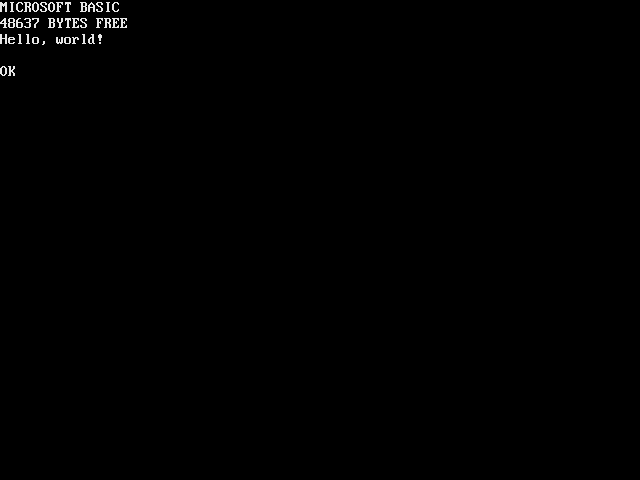
Run it in your browser,
BASIC is usable. Type 10 then TAB to edit line 10. RUN to run.
On each push to main, .github/workflows/web.yml publishes this web
player and its screenshot to GitHub Pages. The preset in the rp6502
comment above the picture sets the program it plays: basic for the
BASIC program, or a cc65/Release or llvm-mos/Release preset for the
C program. To publish yours, open Settings > Pages on GitHub and set
Source to GitHub Actions.
The if() in CMakeLists.txt has a branch for each language. Keep the
branch you want, delete the other and the if(), and delete the presets
and files you do not use. Set the preset in the rp6502 comment to a
preset you keep.
- CMake 3.21 or newer
- Python 3
- Make or Ninja
- cc65 or llvm-mos, for C. Install both if you want to try both.
The install steps for Windows, macOS and Linux are in RP6502-SDK, along with the rest of the SDK documentation.
Go to the GitHub template and select "Use this template" then "Create a new repository". Don't fork it: a fork stays linked to this repository and includes its history, while "Use this template" makes a new repository with a clean history. Then clone the new repository.
tools/ holds the CMake and Python scripts that the SDK runs. Update them with
the "RP6502: update tools" task (Terminal > Run Task), or with:
$ cmake -P tools/rp6502.cmakeProjects made before this template merged cc65 and llvm-mos have their compiler
wired into the top of CMakeLists.txt, and a tools/ that predates any of
this. Start by copying this template's tools/rp6502.cmake over yours. That
name used to be the cc65 toolchain file; it is now the small script that
fetches everything, and the toolchain it replaces comes back as
tools/cc65-toolchain.cmake on the first configure.
Then replace everything above project() with:
cmake_minimum_required(VERSION 3.21)

include(${CMAKE_CURRENT_LIST_DIR}/tools/rp6502.cmake)
Delete tools/CMakeLists.txt and the add_subdirectory(tools) line that
pulled it in — the include() above replaces both. Copy CMakePresets.json
from this template as well; that is where the compiler is chosen now. Old
projects called rp6502_executable() with the address their compiler happened
to use, and DATA default RESET default works under both.