docs: add hosted MCP server config generator#4599
docs: add hosted MCP server config generator#4599andrelandgraf wants to merge 9 commits intomainfrom
Conversation


|
The latest updates on your projects. Learn more about Vercel for GitHub.
|




Updated configurator: query-param-based config + UI polishThe hosted Neon MCP server recently moved from What changed
UI polish
Screenshots (hosted on 1. Default — OAuth, all scopes enabled
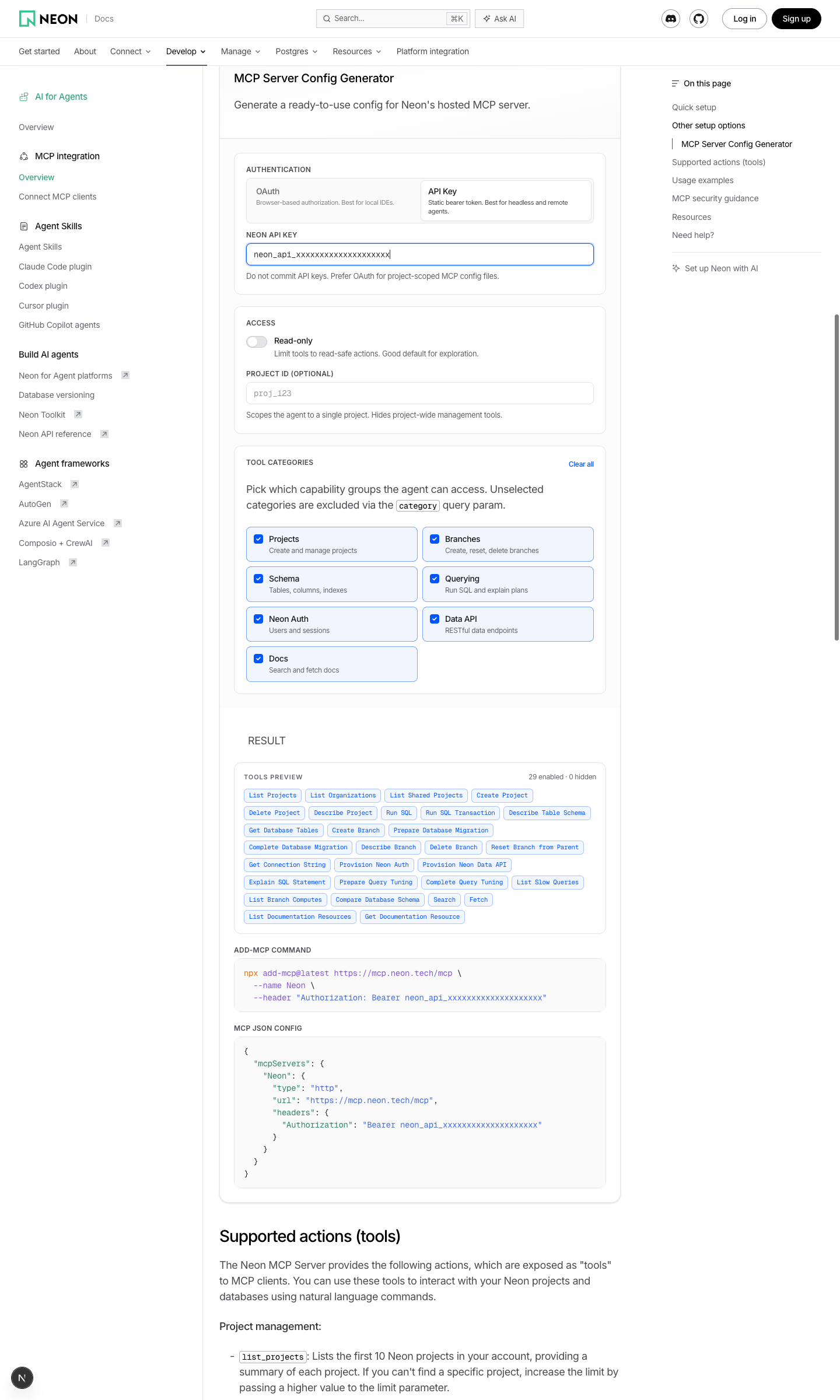
2. API Key modeAPI key is plumbed into both the
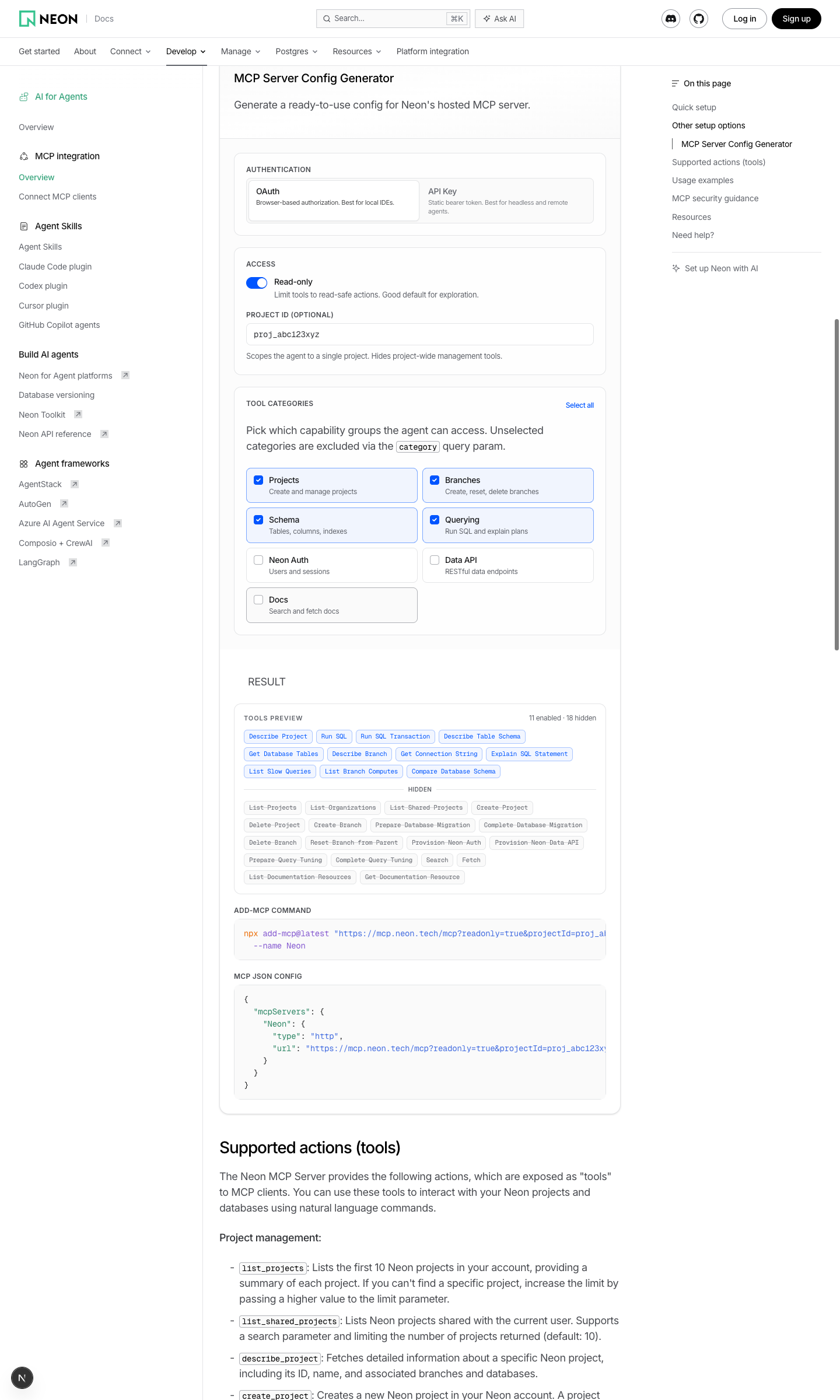
3. Fully restricted — read-only + single project + subset of categoriesNote the live URL preview with highlighted
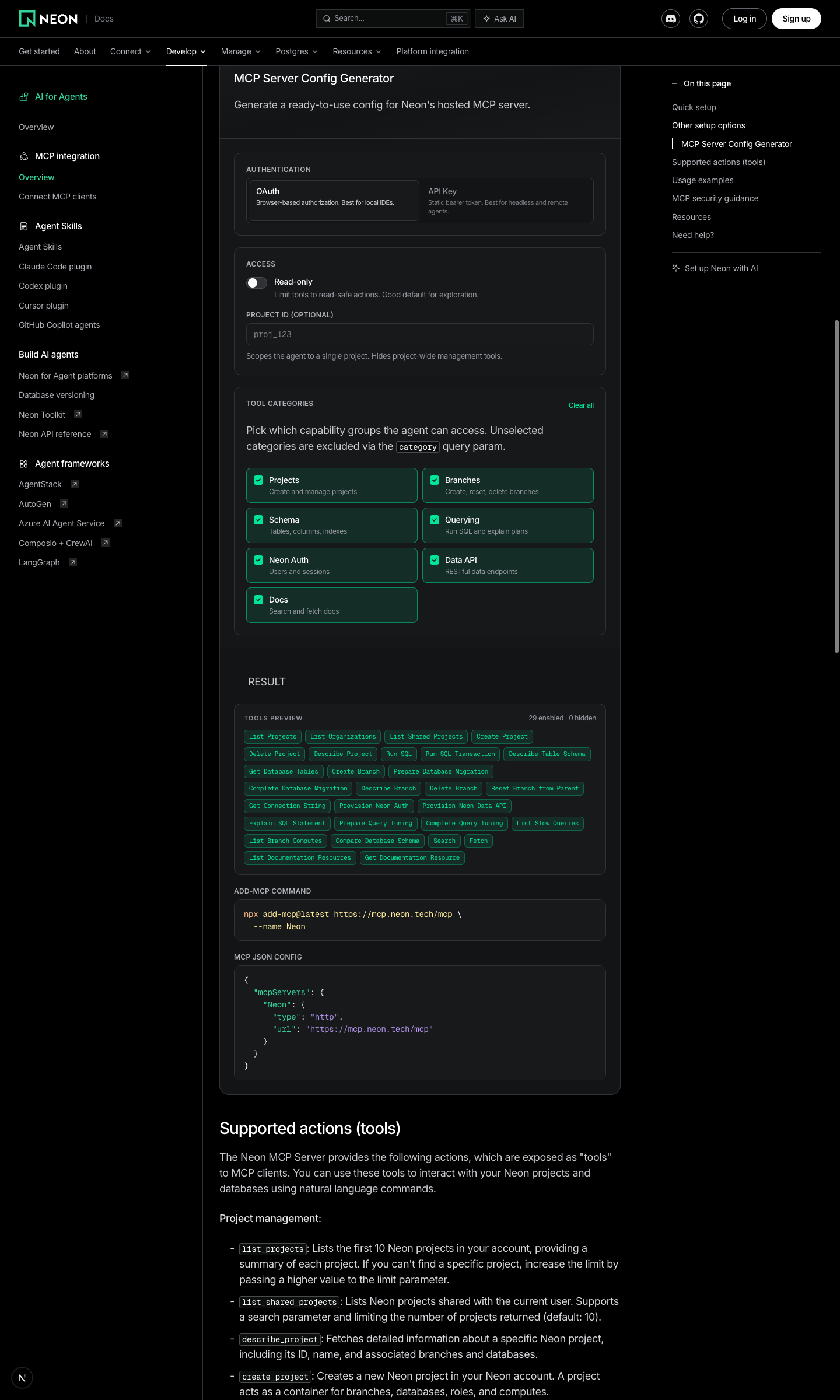
4. Dark mode
|
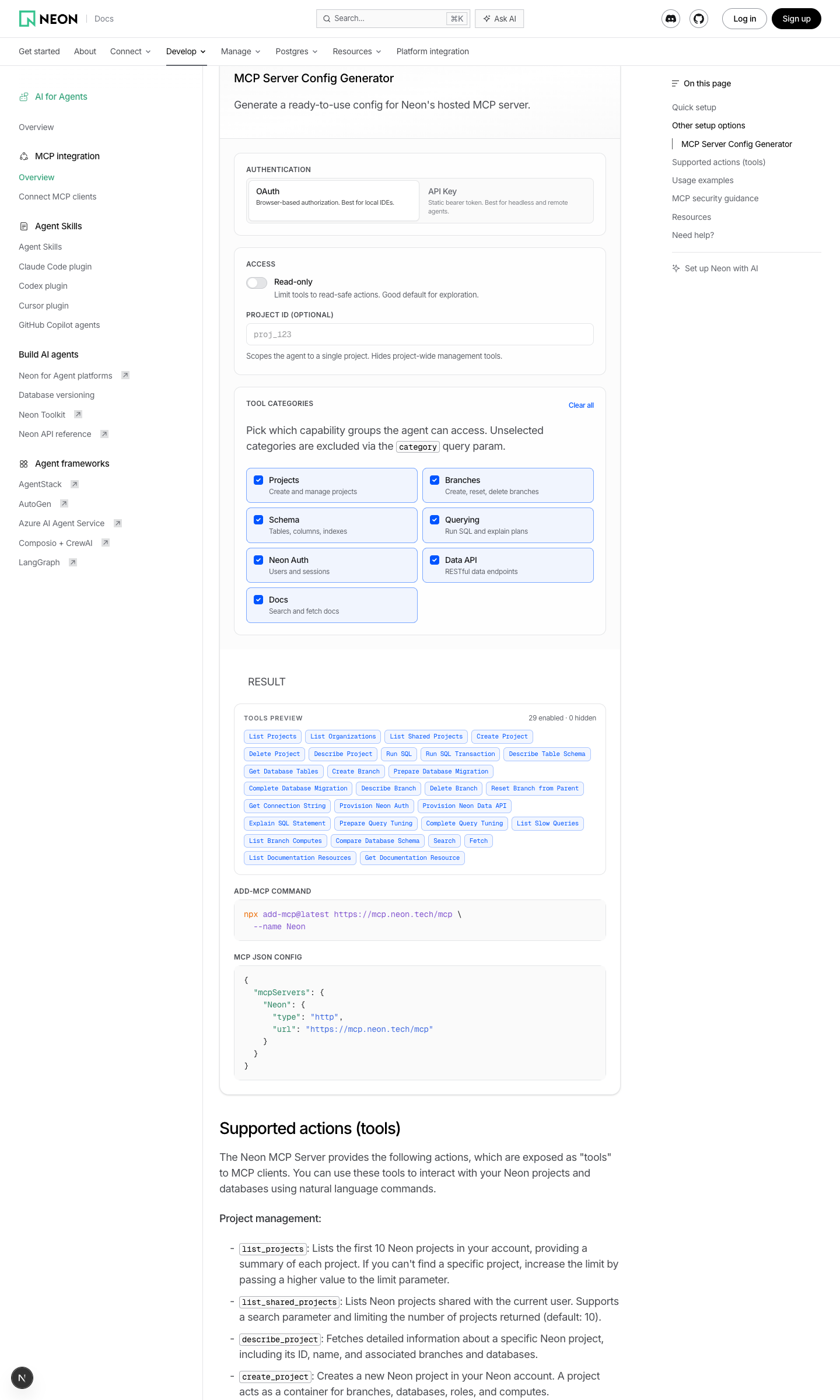

Replace legacy MCP setup tabs with an interactive configurator.
It generates valid hosted Neon MCP snippets and previews selected tools.
Map NEXT_PUBLIC_MCP_API_URL values like /mcp or /sse to /api/list-tools.
This lets PR previews use preview MCP hosts without touching prod defaults.
Use NEXT_PUBLIC_MCP_API_URL directly when set.
Fallback defaults to the production list-tools endpoint.
Make the API key input visible.
Keep add-mcp Authorization output aligned with the generated JSON config.
Update MCP scope selection in docs and configurator.
Use one querying category for SQL querying and optimization tools.
Document that project-scoped mode excludes search and fetch.
Align configurator guidance text with scoped tool behavior.
Remove the SSE selector and always generate Streamable HTTP config and commands.
Fix configurator copy buttons by passing explicit copy text to code blocks.
…olish UI

The hosted Neon MCP server now consumes access controls (readonly,
projectId, category) via URL query params rather than custom
X-Neon-* headers. Update the configurator to match the new contract:

- Generate URLs like https://mcp.neon.tech/mcp?readonly=true&category=...
  instead of emitting custom request headers.
- Drop the header validation and X-Neon-* allowlist; only Authorization
  remains (API key mode).
- Fetch the list-tools preview with the same query params.

UI polish:
- New Configuration / Result section split with accent bars.
- Segmented control for auth mode with descriptions.
- Custom toggle switch for read-only.
- Category picker as 2-column cards with descriptions and a
  Select/Clear all toggle.
- Live Server URL preview card with highlighted query params.
- Tool pills with a colored enabled group and a struck-through hidden
  group, plus enabled/hidden counts.
- Dropped next/dynamic { ssr: false } wrapper which is no longer
  allowed from Server Components in Next.js 16; the component is
  already marked use client.

Responsive classes use the repo's desktop-first tailwind variants.
Drop the hosted/streamable HTTP badge, the visible "Configuration"
heading (now sr-only), the OAuth re-authorize warning, and the
Server URL preview block (already shown in the copy-pastable
add-mcp command and JSON config below).
 andrelandgraf
force-pushed
the
docs/mcp-server-config-generator
branch
from
andrelandgraf
force-pushed
the
docs/mcp-server-config-generator
branch
from
1a4cb50 to
143415d
Compare
Follow-up: further UI trimThe configurator was further simplified in Removed
The branch was also rebased onto latest |
1 participant

Summary
neon-mcp-serverdocs with a new interactive MCP Server Config Generatorlist-tools, with loading/error/retry states and graceful fallback behaviorTest plan
/docs/ai/neon-mcp-serverrenders the configurator/api/list-toolsreturns200X-Neon-Read-Onlywhen read-only is disabledX-Neon-Scopeswhen none or all categories are selected