




Tasks, time, journal and the people in your life — kept on your own devices, synced end-to-end encrypted, with AI agents that propose while you decide.
Lotti is a personal task manager, time tracker and journal. Speak a rambling voice note and it comes back as a task with a checklist; an agent keeps a living summary of every task and suggests the next change for you to confirm. There is no Lotti cloud and no Lotti account: your record lives in a local database on each of your devices, and the AI runs on a provider you pick — or on none at all.
In development since 2016. I have tracked around 11,000 hours of my own work in it since 2022.
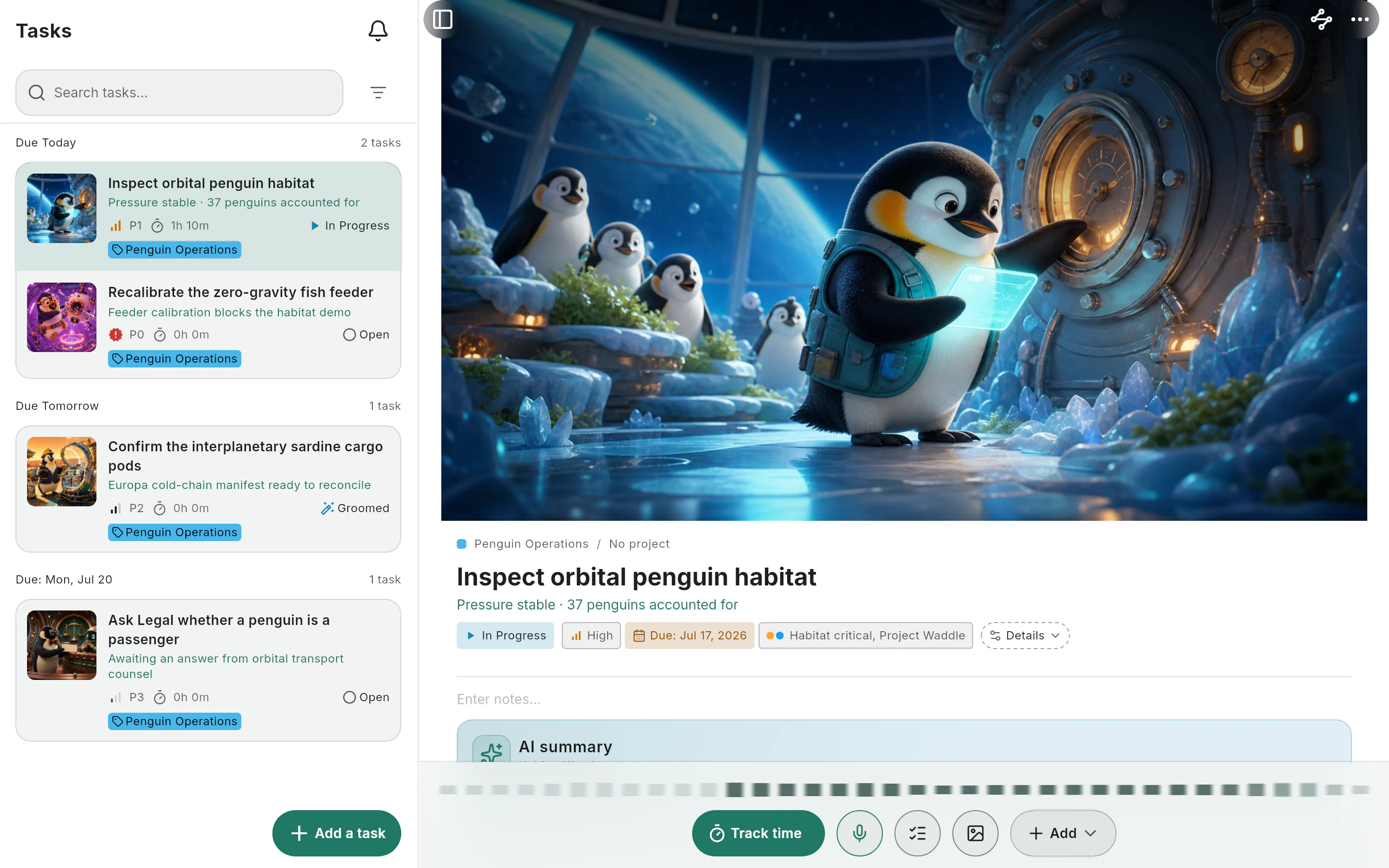
Install · Manual · Discord · Blog series
On the App Store (iPhone, iPad, Mac), Google Play and Flathub · Windows from source — Flutter, GPL-3.0.
- Local-first. Each device holds the whole record in local SQLite, with audio and images beside it on disk. No telemetry, no analytics, no account, no server that stores a readable copy of your data.
- End-to-end encrypted sync through a relay you don't have to trust. Devices sync over a Matrix homeserver that only ever sees ciphertext. Keys go only to devices you verified yourself by comparing emoji, and anything else is dropped.
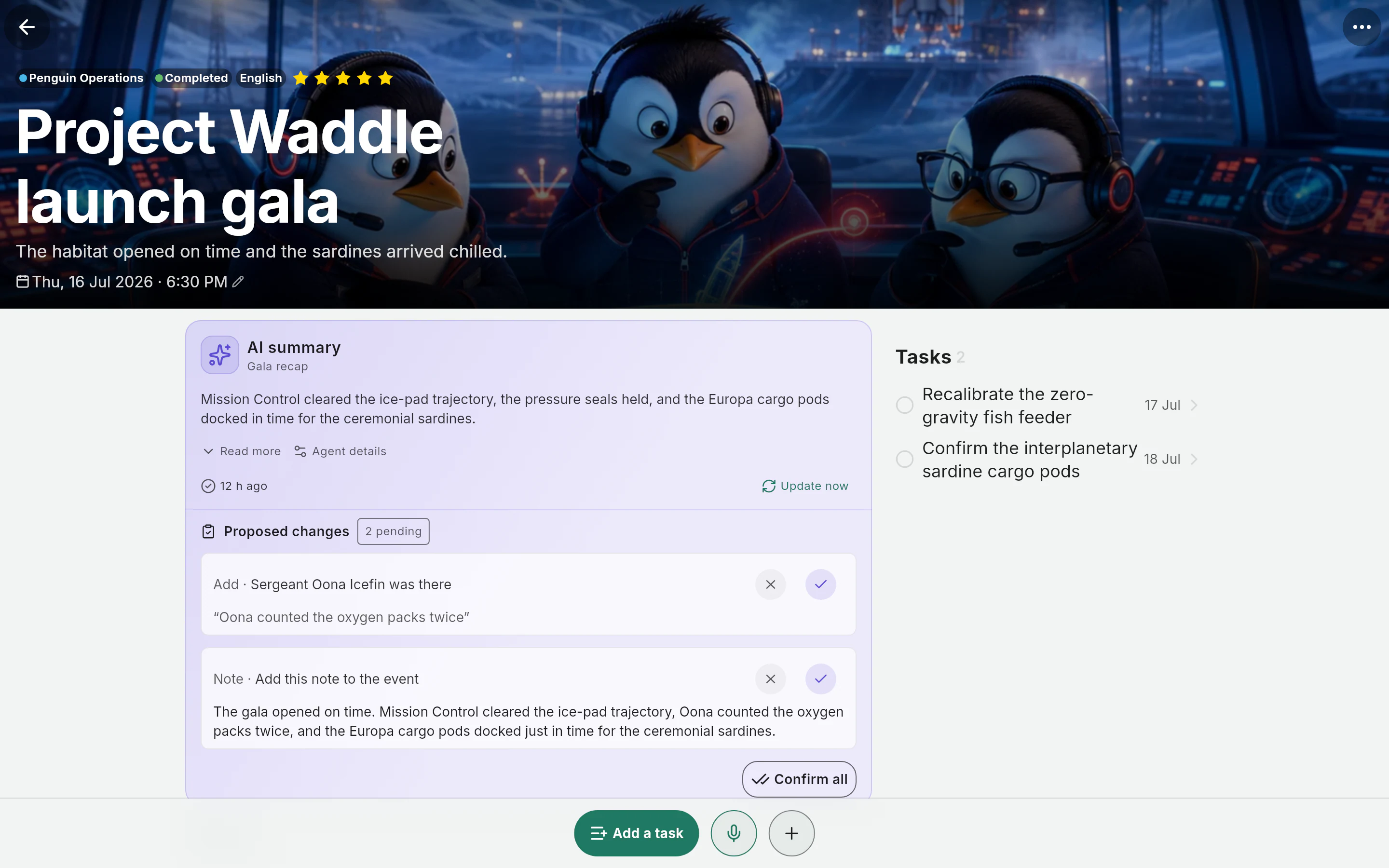
- Agents propose; you decide. Task, project, goal, event and relationship agents read what you recorded and suggest changes. Each suggestion waits for you to confirm or dismiss it, apart from a small, named set of pre-approved writes such as transcribing a recording (ADR 0102). Agent working memory lives in a separate database from your record.
- Your AI, your choice — or none. Lotti has no inference backend. You bring your own key for Mistral, OpenAI, Anthropic, Gemini and others, or run models locally, and route each category of your life to a different provider. Lotti is a complete task manager, time tracker and journal with AI switched off.
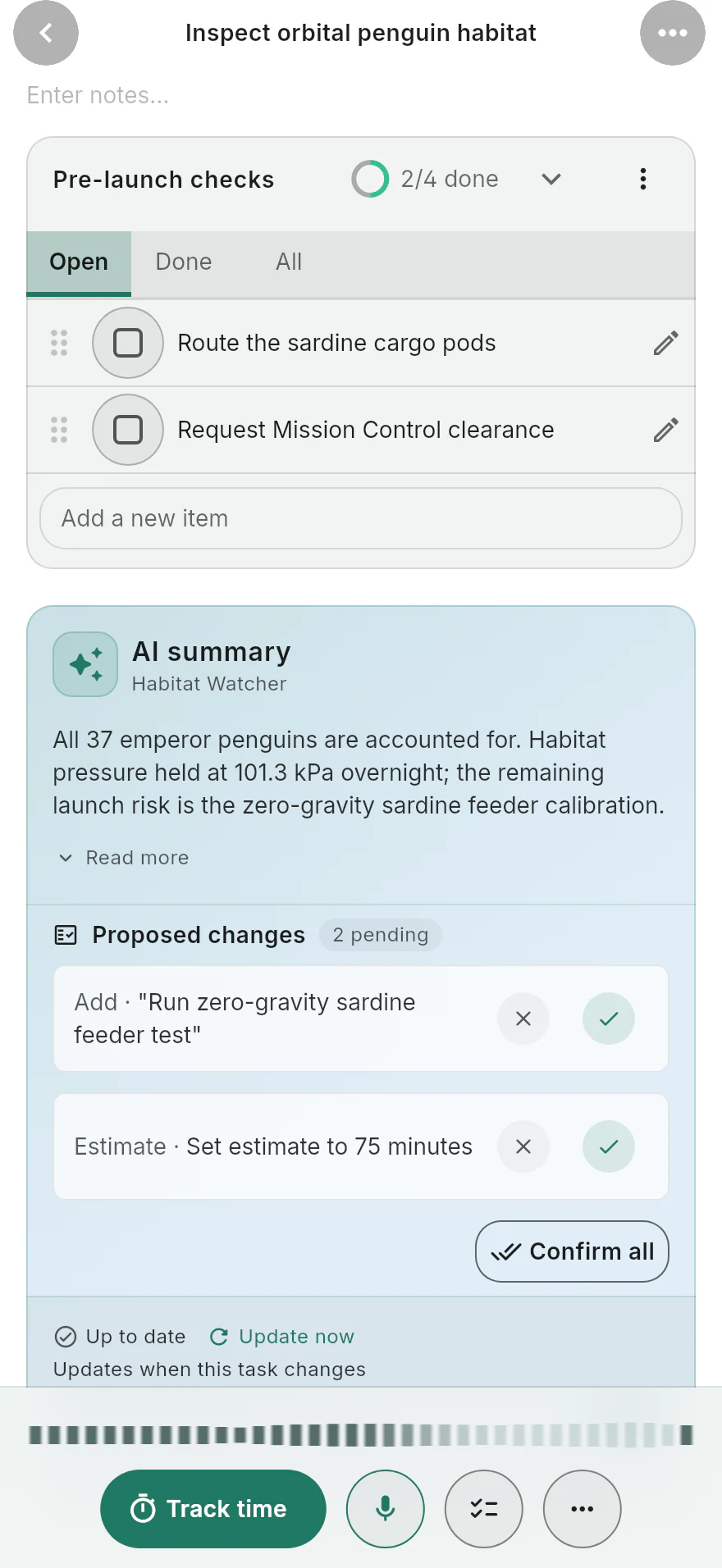
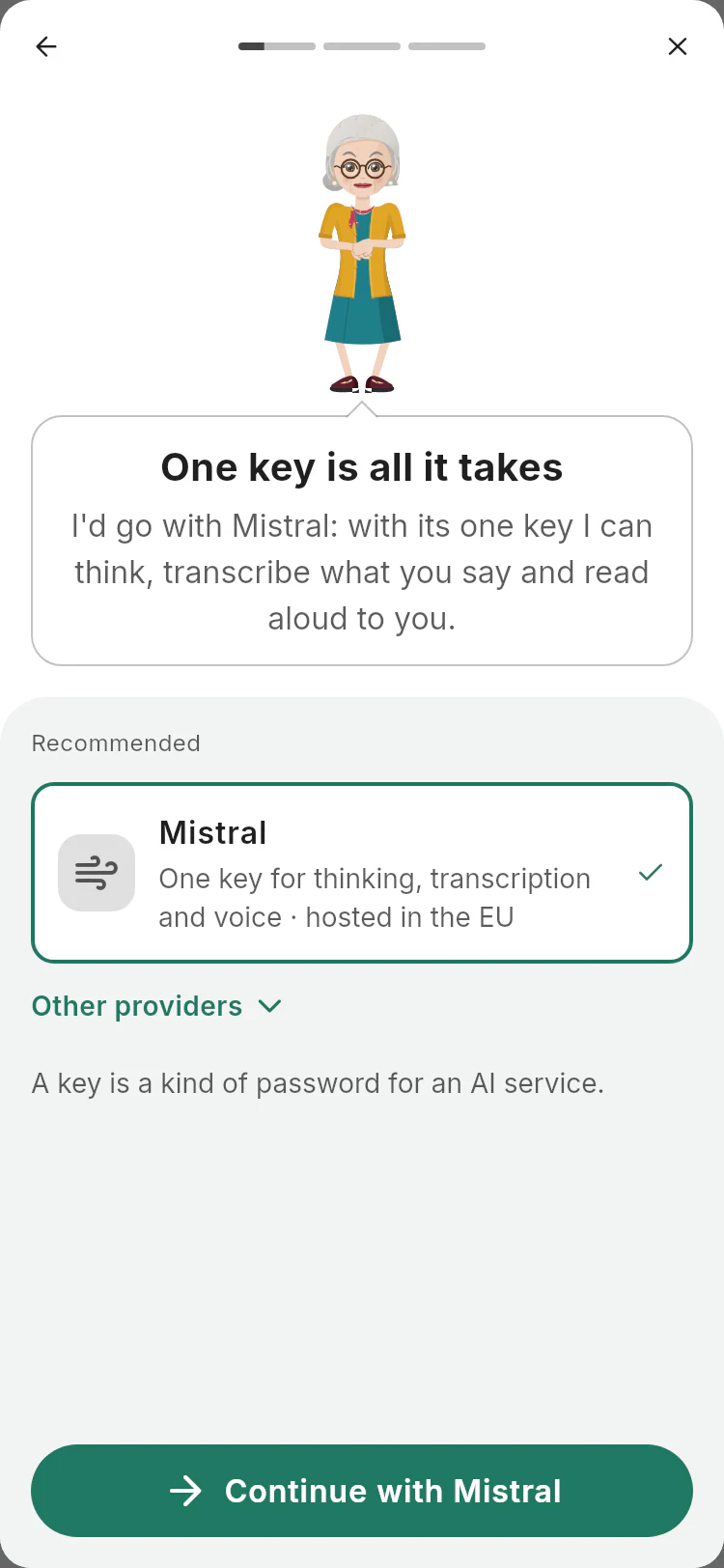
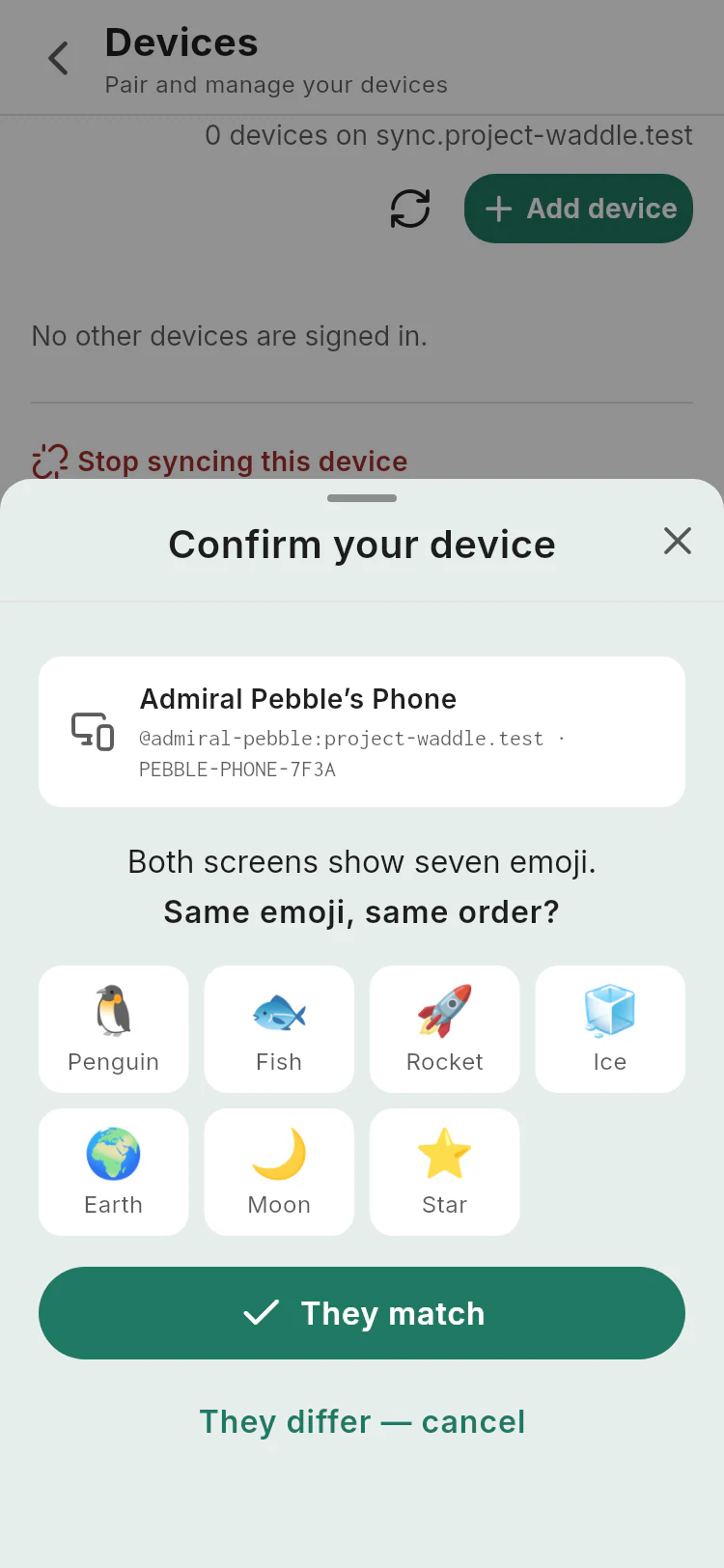
A task agent's proposed changes · choosing an AI provider in onboarding · verifying a new device by emoji
- Tasks with checklists, estimates, priorities, due dates, labels, cover art and linked GitHub pull requests. A task agent keeps a living summary and proposes titles, estimates, checklist items, status changes, follow-up tasks and links — each one waiting for you.
- Voice capture everywhere. Record anywhere in the app and have it transcribed, on your device or by the provider you configured.
- Time tracking against the plan, with focus ratings and a time analysis by category.
- A journal of notes, photos, recordings, measurements and surveys, linked to the task, person, event or day they belong to.
- Sections you switch on under Settings → Sections: Projects, Goals, Habits, Dashboards, People and Events, each with its own agent where it makes sense — a project agent that reports health and next steps, a goal agent that tells you when a goal slips, an event agent that writes a recap, and a relationship agent that briefs you before you meet someone. Turning a section off only hides it; nothing is deleted.
The manual walks through all of it, starting from the mental model and your first task.
| Platform | Where to get it |
|---|---|
| iOS / iPadOS | App Store |
| macOS | Mac App Store, or the signed and notarized DMG on Releases |
| Android | Google Play, or the APK on Releases |
| Linux | Flathub (recommended, updates itself), or the AppImage or tar.gz on Releases |
| Windows | Build from source for now |

The AppImage needs no installation: mark it executable (chmod +x) and
run it. It works on distributions with glibc 2.35 or newer (Ubuntu 22.04,
Debian 12, Fedora 36 and later); where FUSE is missing, start it with
--appimage-extract-and-run. Unlike the Flathub build it does not update
itself.
On first launch, a short onboarding asks for one API key — Mistral is preselected, others are one tap away — and records your first task. You can close it and use Lotti without AI.
What leaves your device: ciphertext to the sync homeserver you chose, which
stores and relays it without ever being able to read it; requests to the AI
provider you configured for a category; and calls to api.github.com, only if
you link pull requests to tasks. None of your record goes to Lotti.
How sync works: each change is an event in a private, non-federated,
Megolm-encrypted Matrix room (Vodozemac
for Olm/Megolm); attachments are encrypted per file. Keys are shared only with
devices you verified by emoji, and events from anything else — or sent in
plaintext — are dropped. Every entry carries a vector clock, so a device that
was offline for a week rejoins without losing writes. Genuinely concurrent
edits to an entry show up as conflicts for you to resolve; for definitions such
as categories and labels, the later edit wins. You set up the first device
against a homeserver with the included
tools/matrix_provisioner; every further device
pairs from one you already use by QR code and emoji check.
What it does not protect against — read this before you trust it with anything sensitive:
- Metadata. The homeserver operator cannot read or alter your record, but can see the account, which device synced when, from which IP, and how much.
- A compromised device. The local databases are not encrypted by Lotti today; rely on your operating system's full-disk encryption. Passwords, API keys and the GitHub token are kept in the OS keystore; an AI provider key or GitHub token syncing to your other devices is also written to the local sync outbox, where it stays for about a week after it is sent.
- Losing every device. There is no server-side backup and no account recovery. A second paired device is your replica — after you send it your history from the first — and an ordinary backup of the database plus the attachments folder is still worth keeping.
- Your AI provider. Whatever you route to a provider is subject to its terms. Prefer one with zero data retention; Lotti cannot verify anyone's retention claims.
The full threat model is in security and privacy, the sync runtime in the sync concept, and the policies in PRIVACY.md and SECURITY.md.
- Providers: Mistral (recommended in onboarding: one key covers thinking, transcription and the read-aloud voice), Melious, OpenAI, Anthropic, Google Gemini, Alibaba, Nebius, OpenRouter, ElevenLabs for voices, and any OpenAI-compatible endpoint, including your own gateway.
- Local: speech recognition runs inside the app on every platform with
sherpa-onnx (Whisper and other model families), and on desktop also through
local Whisper or Voxtral servers. Ollama and oMLX have their own provider
types; vLLM, llama.cpp's
llama-server, LM Studio and similar servers connect as OpenAI-compatible endpoints. - Routing per category: work can go to one provider, your journal to another, or to none. The provider page shows the actual base URL behind a friendly name, and every profile that depends on it.
- Usage & Impact shows tokens and requests for every cloud call, and cost, energy and CO₂e where the provider reports them (today: Melious). Nothing is estimated.
- Which models are good enough for the agents is measured, not guessed: LottiGym runs candidates through the real agent harnesses (results). Today the agents need a cloud-class model; local models are not yet fast enough for daily agent use.
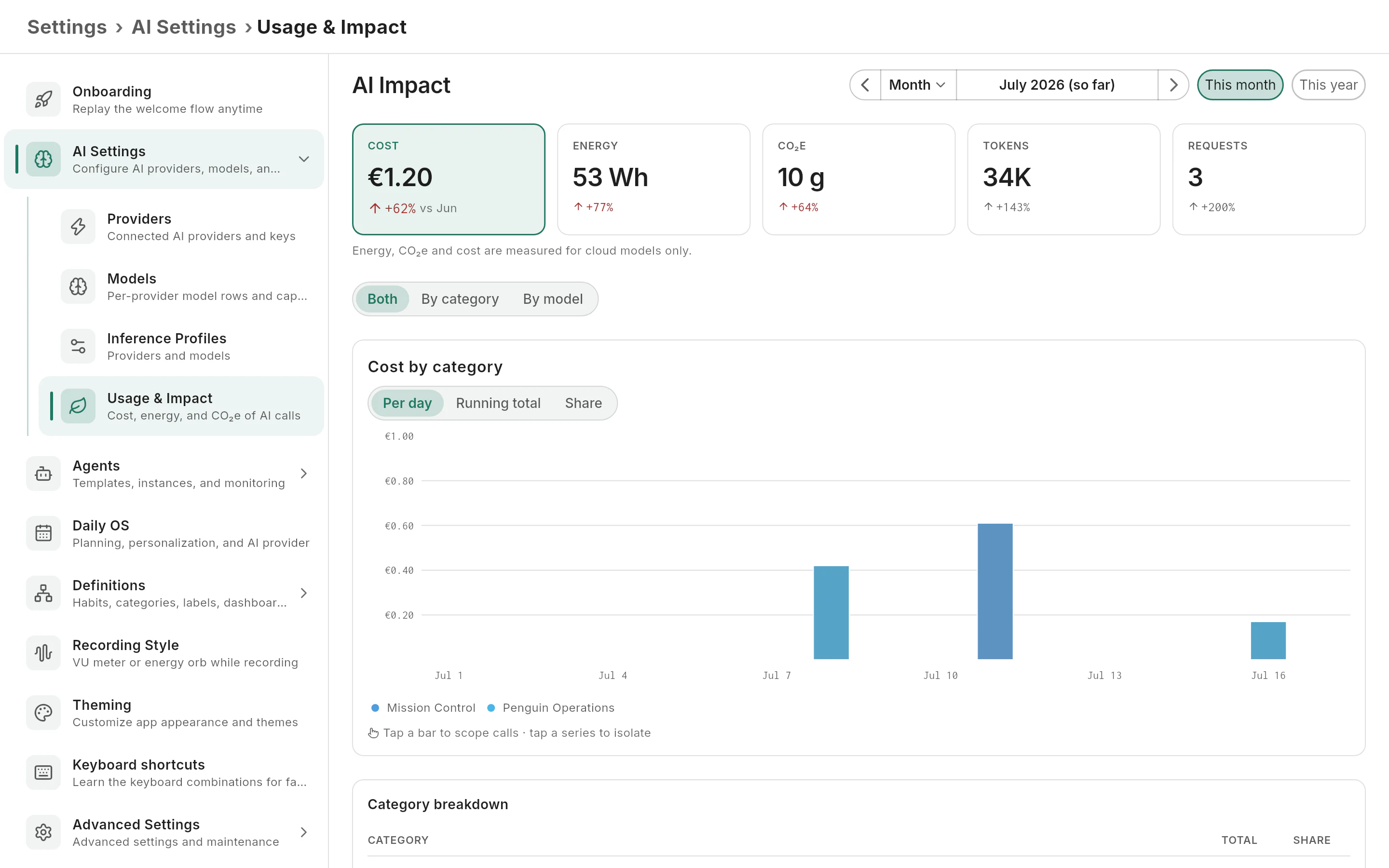
Setup is in the manual: connect an AI provider.
Built, documented, and changing quickly. Each is off by default.
- Daily OS — turns a spoken or typed check-in into a plan for the day, every proposed change shown with its reason, nothing committed until you confirm. Switch it on under Settings → Sections. Manual
- The companion — Lotti as a character you talk to: ask about your tasks, time and journal by voice or text, and hear the answer read aloud. Behind a flag in Settings → Advanced Settings → Config Flags.
- Record provenance — every entry signed by its author, so the record can prove who wrote what. The building blocks are in the codebase; entries are not signed yet.
See the roadmap.
Install Flutter through FVM (the repository pins the
version in .fvmrc), then:
fvm flutter pub get
fvm flutter run -d macos   # or linux, windows, or a connected device
Platform prerequisites (including Linux audio-codec and emoji-font packages) are in docs/DEVELOPMENT.md.
Flutter and Dart on five platforms; local SQLite via Drift; Matrix with Vodozemac for sync. The sync protocol and the agent runtime are specified as TLA+ models and model-checked nightly under crashes, injected failures and reordered messages — statements about the design, with the specs saying exactly what is and isn't covered.
- Knowledge bundle — how the app works at runtime, subsystem by subsystem, for contributors and coding agents alike
- Security and privacy · Background — the threat model, and why Lotti exists
- Changelog
Linux is free, with full functionality, and will stay that way. On other platforms the basics — task and journal capture, the task agent, voice transcription — stay free too; some advanced agent features may eventually become in-app purchases where that is the norm. Hosted sync is a real running cost: self-host a Matrix homeserver, or bring one you already have.
Say hi on Discord. Bug reports in GitHub Issues and translations are very welcome. Code pull requests are not accepted — review capacity is the limit, and Lotti holds people's personal data — so please open an issue instead. CONTRIBUTING.md has the details.
GPL-3.0. See LICENSE.
Thanks to the Flutter team, the Qwen and Mistral teams for their open-weights models, OpenAI for the Whisper weights, the Ollama project, the Matrix.org community, the Vodozemac authors, and everyone contributing translations, issues, and ideas.