See the wiki for instructions on the project
- Install LabVIEW myRIO Toolkit 2019 (32-bit).
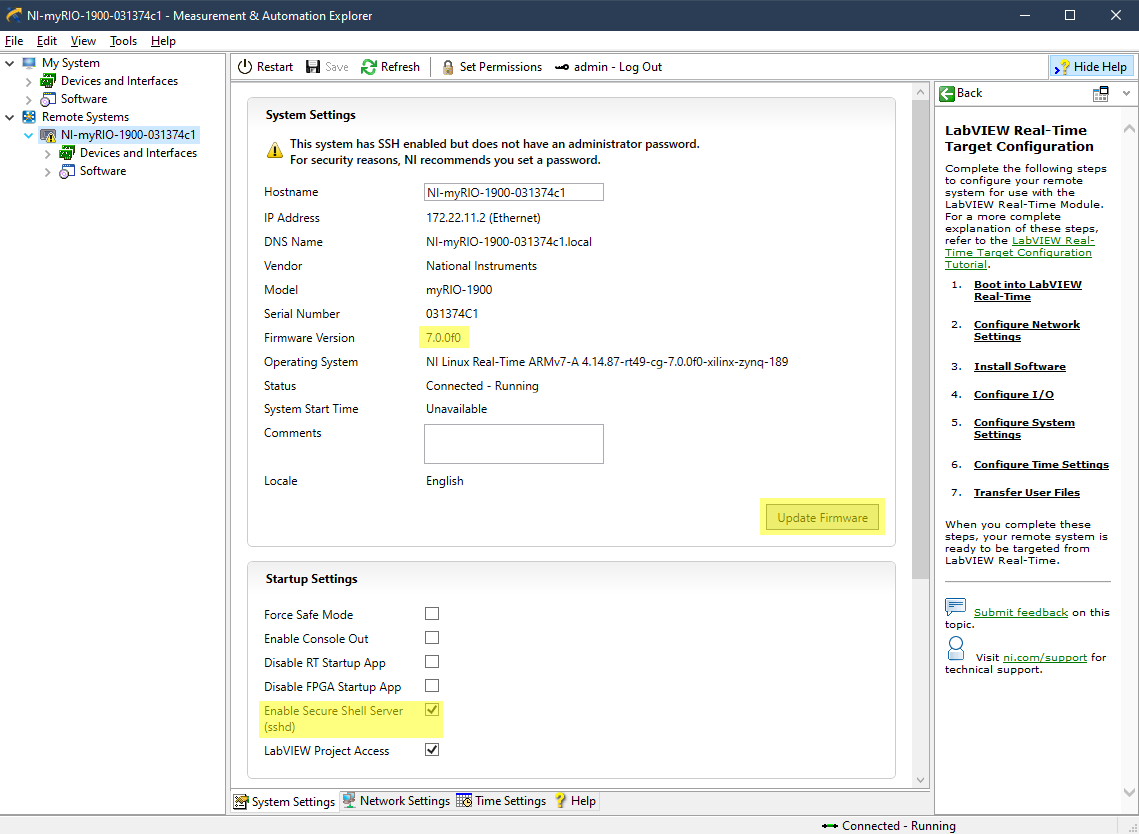
- Connect the myRIO via USB to host PC and find the device in Measurement and Automation Explorer (MAX) under
Remote Systems. - Ensure that the current firmware version is
7.0.0f0. If it is not, click theUpdate Firmwarebutton and install the latest firmware. - Ensure
Enable Secure Shell Serve (sshd)is enabled.
- SFTP the FPGA bitfile from mahi-daq/misc to the myRIO device:
cd mahi-daq/misc
sftp admin@172.22.11.2
cd /var/local/natinst
mkdir bitfiles
cd bitfiles
put NiFpga_MyRio1900Fpga60.lvbitx
chmod 777 NiFpga_MyRio1900Fpga60.lvbitx- Download and install the NI ARM cross-compiler to
C:/dev/nilrt-armso that the directory containssysroots/,relocate_sdk.py, etc. - You must also install ninja (recommended to use chocolatey to run
choco install ninja). - Once this is installed, you should be able to use the [nilrt-arm] kit with CMake Tools in VSCode to compile for the myRIO from Windows.
- Otherwise,
mahi-daqships with a CMake toolchain file, which can be used like so:
> cd mahi-daq
> mkdir build
> cmake .. -G Ninja -DCMAKE_TOOLCHAIN_FILE="../cmake/nilrt-arm-toolchain.cmake" -DCMAKE_BUILD_TYPE="Release"
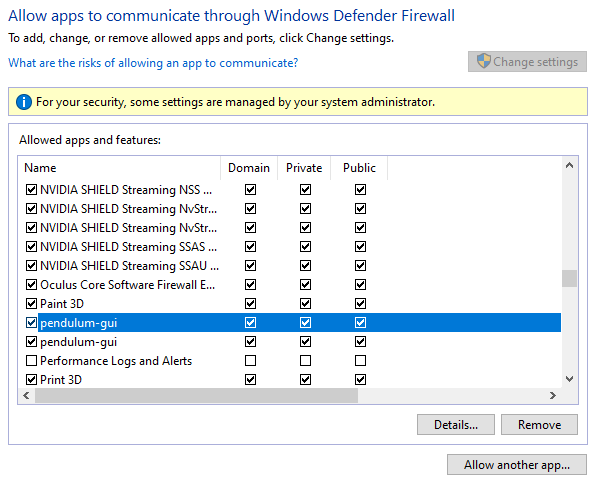
> cmake --build .- If you notice that the pendulum GUI is not receiving packets from the myRIO, you may need to update Windows firewall settings. For every instance of
pendulum-gui, allow all settings as shown below: