An experimental toolkit for media preservation, powered by yt-dlp.
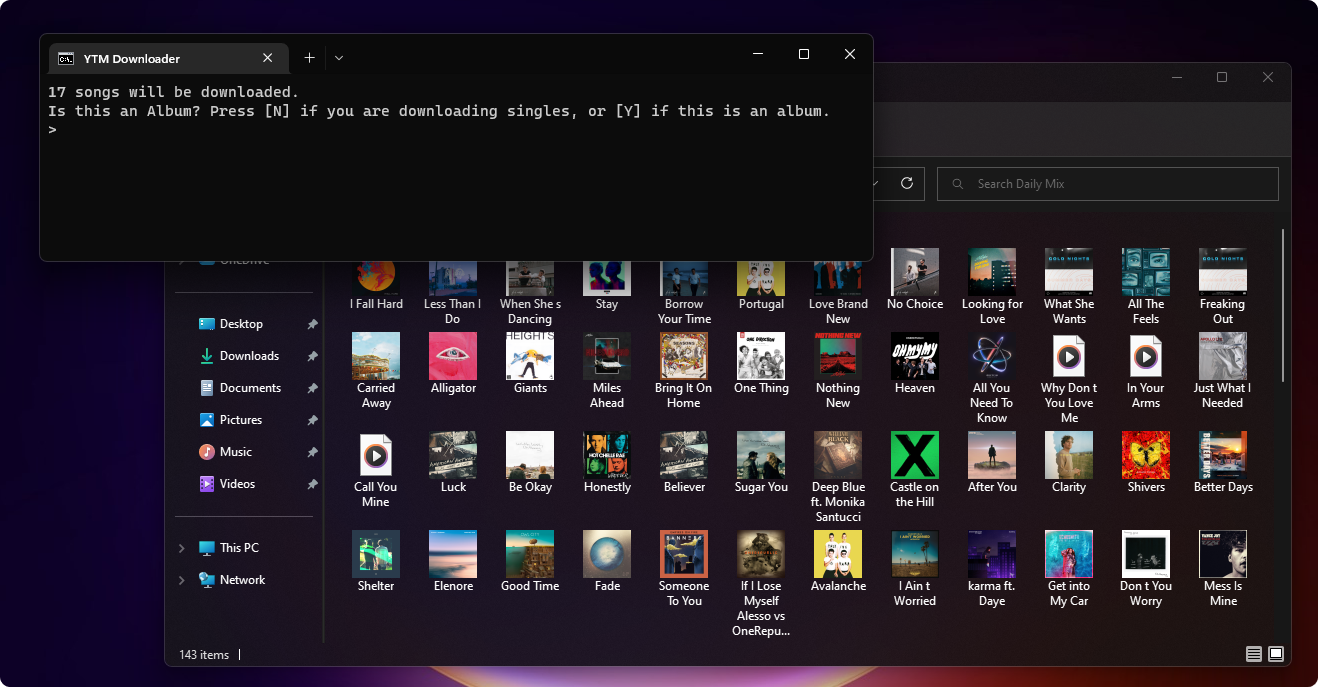
This project will allow you to use yt-dlp to archive music from YouTube Music, and automatically add album artwork, artist name, album name, and track info to the files. They can then be added to a media player, such as iTunes or VLC, transferred to devices, or whatever you'd like. Unlike the --embed-metadata switch in youtube-dlp, this embeds the actual album cover, and not the video thumbnail. This project is still very early in development, and as such there will be issues. Some metadata pulled from YouTube is formatted in a way that confuses the downloader and will cause incorrect data to be applied. This document includes a detailed explanation of how the downloader works. If you find an issue that is reproducible under specific conditions, or have general feedback, feel free to open an issue report.
- Video downloads are now officially supported via a separate queuing script
- Improved video support by always merging into mkv format instead of webm, with the option to force an mp4 file (Learn more about this on the README)
- Suppressed irrelevant error messages in the Add scripts
- Improved download retry handling by making the retry count semi-configurable by editing the Redistributables\Downloader script, and allowing the user to skip a stubborn download
- Added the ability to reset the app's data in case of an error
- Changed FFMPEG source to reduce file size and update to latest version
- Renamed youtube-dl to yt-dlp
- Migrated setup code to separate file and refactored settings wizard
- Bug fixes and improvements
- Code comments and cleanup
This project is written in batch, and requires additional programs that I do not own the license to in order to function correctly. Below are links to those programs, as well as where they need to be placed to be read by the downloader.
- If you haven't already, download the latest version of this project.
- Download yt-dlp. Once downloaded, save the file into Redistributables\yt-dlp.
- Download FFMPEG. Once downloaded, save the zip file into Redistributables\FFMPEG. The program will extract it automatically.
- Download and install Album Art Downloader.
You should be all set. The program will notify you if there are any missing components. Refer to the included Help file for more information.
- If you experience a reproducible crash, please open an issue report with details about it.
- If the app gets stuck saying there are downloads in progress when there aren't, you can reset it by running
Download.cmd /reset, or by running theReset Appscript in the Settings folder.
YouTube stores and serves its content using several different formats, so that they can ensure content plays back optimally on a range of devices. The most common video format they use is .webm, and audio is typically either opus or m4a. None of these are "common" formats that most users are familiar with, but Google uses them because they're much more efficient at encoding data than .mp3, .mp4, etc. Since the content is only ever handled by the YouTube client apps or website, the user never has to deal with these formats, so it doesn't matter.
If you're trying to archive material for offline use, you'll discover this. In this project, .mkv is encouraged since unlike .mp4, it's a container that is guaranteed to be compatible with YouTube's formats without any re-encoding, preserving as close to the original stream quality as possible. If you're not preserving YouTube content and don't need the highest quality file, you're given an option to change this on first run. Please note though, that Google doesn't always serve mp4 files for every video resolution. Some of them are locked to their other formats, meaning you'll need to use .mkv if you want resolutions above 1080p, however this varies depending on the video.
To view all the formats being served for a specific video, run yt-dlp VIDEO_URL -F. To learn more about YouTube content formats, click here.
(This information may be helpful when debugging the script. There are also detailed comments in [Project Folder]\Redistributables\Downloader.cmd)
- To my knowledge, it is not currently possible to pull track numbers when the songs are called individually, which is how this script works. As such, unless the provided URL is specified as an album when being added, all songs will have track numbers of 1/1. Even if the tracks were called in playlist mode, the numbers would be set to its playlist indice, which isn't correct either. If the user specifies that the URL is an album, the script will count up from 1 until it reaches the end. For this reason, it's best to only download one album at a time. For entire playlists of singles, this isn't important. Genre information will also be left blank for the time being.
- Artist information from YouTube is formatted as
[Artist1 & Artist2 & Artist 3]. When searching for album artwork, the script will use the first artist. It will also re-format the artist data as[Artist1, Artist2 & Artist3], where the last item in the data set will have an & symbol. If there are only 2 artists, the & symbol will be kept. This follows Apple and Google's formatting standard. - When tracks are initially downloaded, all spaces are replaced with underscores, and any non-ASCII characters are stripped out to comply with the limitations of the Windows filesystem. These are later replaced with spaces. The format for the cached download filename is
Track;Artist;Album;. When all formatting is complete, the filename is changed to the track name, and the rest of the metadata gets embedded as ID3 tags. - If 2 of the same songs are found, the conflicting one is moved into a subfolder with the Artist name.
The original FFMPEG version used in this project for troubleshooting purposes is here.