
An artisan nautical dark theme — abyssal ocean, aged brass, and a bioluminescent glow.


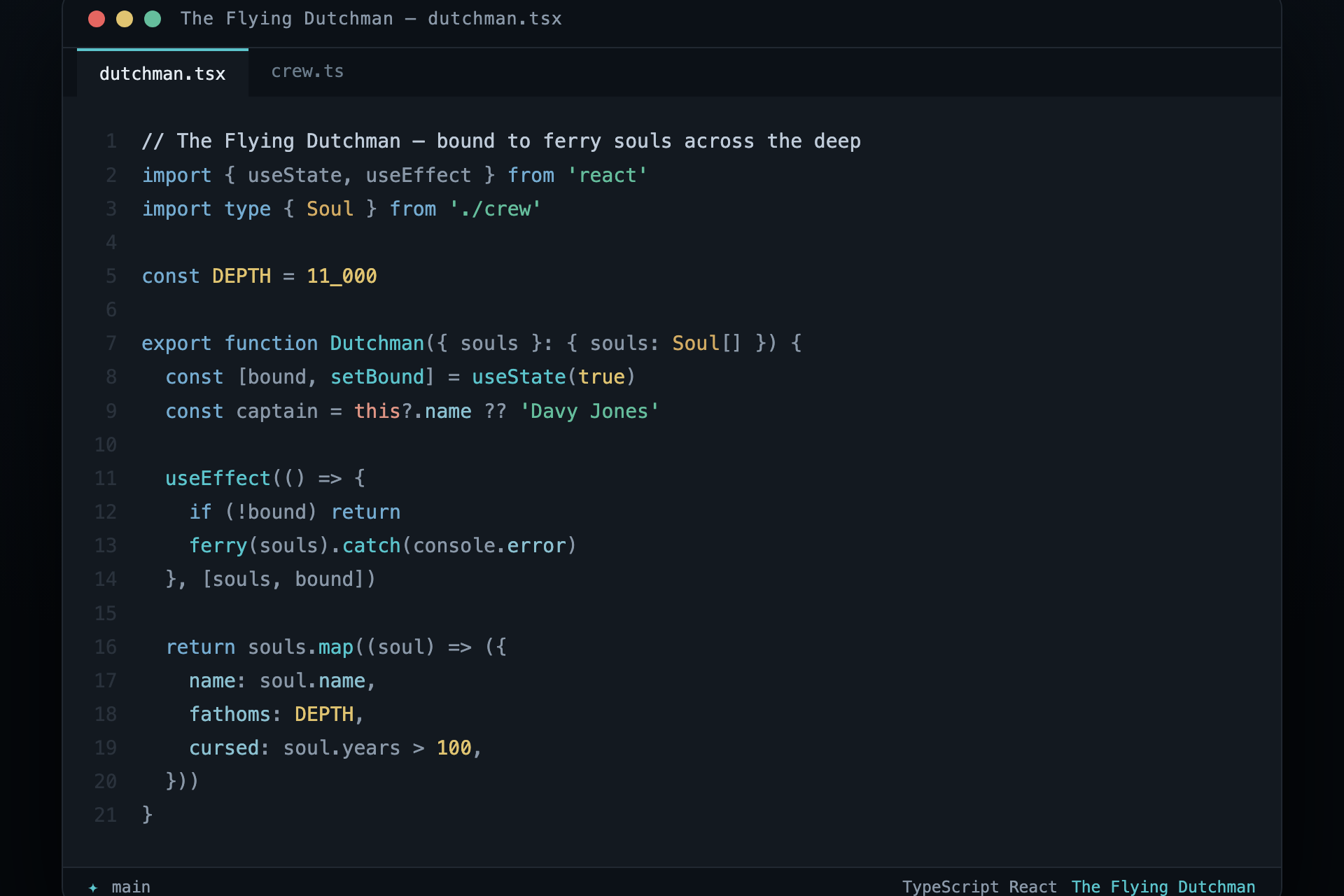
Colours drawn from the legend of Davy Jones and his ghost ship: a hull lost in abyssal blue-black, the brass of his organ, seafoam on the wake, and a cold storm-blue in the rigging. Every colour is tuned to the same brightness so the whole palette reads as one weathered instrument rather than a box of crayons.
Three variants, one identity — they share their hues and differ only in intensity, so switching never feels like a different theme:
- The Flying Dutchman — the balanced everyday palette.
- High Contrast — the same colours, brighter, on near-black. WCAG AAA on text.
- Soft — muted and gentle for long, low-glare sessions.
| Role | Colour | Role | Colour | |
|---|---|---|---|---|
| Keyword — storm blue | #75acd1 |
Type — aged brass | #d3ac64 |
|
| String — seafoam | #65bd9c |
Constant — gold | #e0c471 |
|
| Function — bioluminescence | #5cc4cc |
Property — shoal cyan | #8bc0d0 |
|
Tag & this — coral |
#e09585 |
Comment — fog | #6a7b8a |
|
| Foreground — sea mist | #bfcbd9 |
Abyss — editor | #131920 |
Every role clears WCAG AA (4.5:1) against the editor background on all three
variants; run bun run check:themes to see the full contrast report.
- Open the Extensions view (
Ctrl/Cmd+Shift+X), search The Flying Dutchman, Install. Ctrl/Cmd+KCtrl/Cmd+T, then pick a variant.
Or from the command line:
code --install-extension DavyJones.the-flying-dutchman-themeThe same palette ships for six more surfaces. Each folder holds one file.
| Where | File | Install |
|---|---|---|
| Ghostty | ghostty/ |
copy to ~/.config/ghostty/themes/, set theme = The-Flying-Dutchman |
| iTerm2 | iterm/ |
Preferences → Profiles → Colors → Import the .itermcolors |
| Warp | warp/ |
copy the .yaml to ~/.warp/themes/ |
| Windows Terminal | windows-terminal/ |
add the scheme to settings.json |
| Vim / Neovim | vim/ |
copy to colors/, then colorscheme flying-dutchman |
| Sublime Text | sublime-text/ |
Preferences → Browse Packages → drop in the .tmTheme |
Every theme file in this repo is generated from a single palette so the colours can never drift apart across editors or variants:
bun run build:themes    # regenerate all editors from scripts/palette.mjs
bun run check:themes     # WCAG report; committed files must match the palette (read-only)
To adjust a colour, edit scripts/palette.mjs and rebuild —
never hand-edit the generated theme files. See CONTRIBUTING.md.
MIT — see LICENSE.